

LATIUM
BetaOgro Projukti · Research & Publishing
The zero-configuration desktop environment for modern document creation.
- Version
- 0.0.5
- Platform
- Windows
>About LATIUM
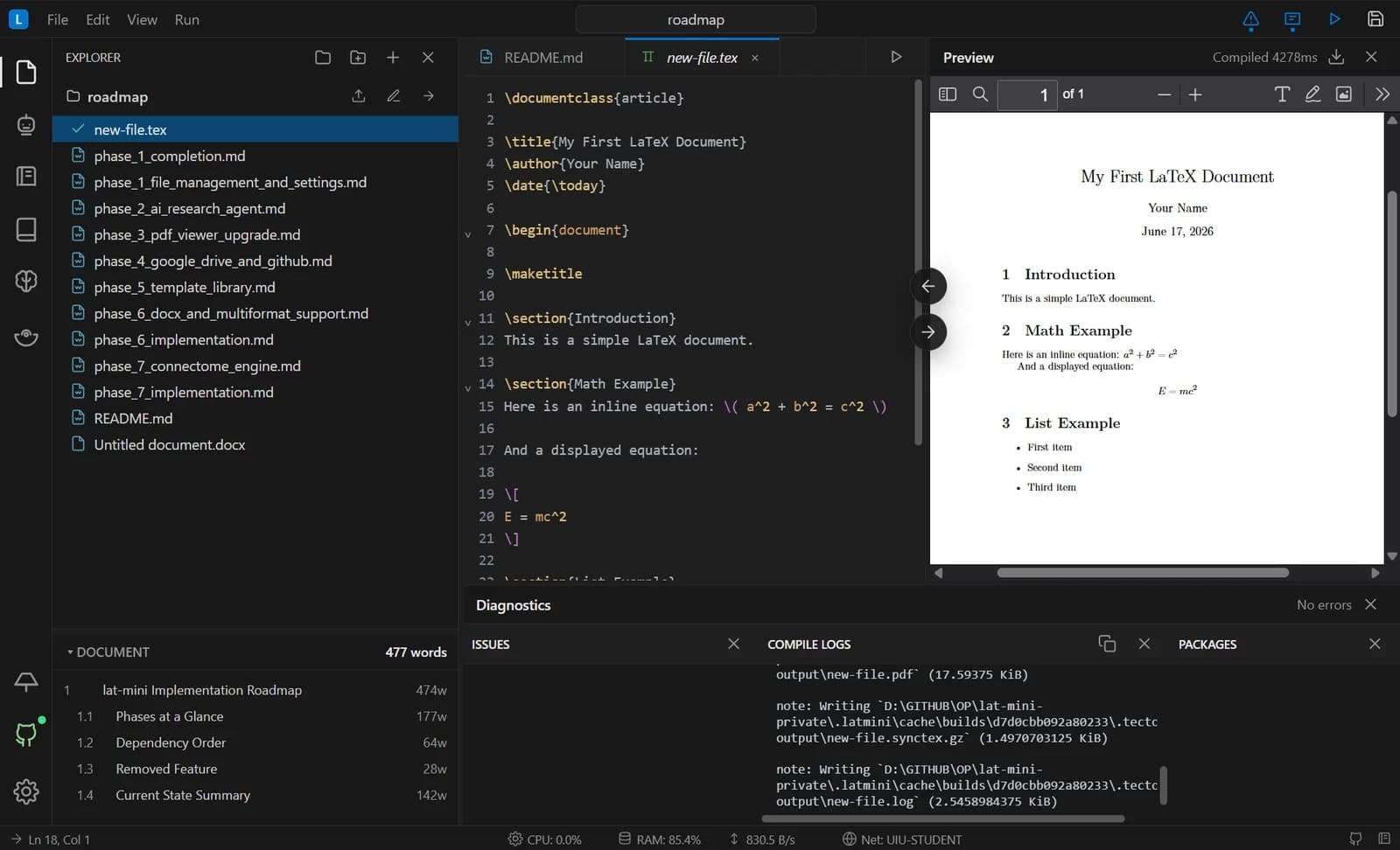
LATIUM is a desktop application for researchers, students and technical teams who write in LaTeX. It bundles everything — compilers, version control and templates — into one installer, so there is nothing to configure.
Your projects compile on your own machine, with no cloud build queue and no internet required. Co-authors on the same network can edit together with live cursors, and Git keeps a complete history behind a simple interface.
A project-aware AI research agent (beta) answers questions about your files, fixes LaTeX syntax and explains compile errors — with every proposed change staged for your review.
- Version
- 0.0.5
- Updated
- 12 Sept 2026
- Available for
- Windows (x64), macOS and Linux coming soon
- Languages
- English
- Price
- Free · Pro · Custom
>Screenshots
>Key features
Zero-configuration setup
LaTeX compilers and Git are bundled into a single installer.
Multi-format editor
Write in LaTeX, Markdown or Word (.docx) with syntax highlighting.
Instant & production PDFs
Instant previews with SwiftLaTeX and production-quality builds with Tectonic, plus bidirectional SyncTeX.
Git without the learning curve
Automatic checkpoints, one-click recovery and GitHub backup and sync — no terminal needed.
LAN co-editing
Host a password-protected session on your local network and edit together with live cursors — no external server.
AI research agent (beta)
A project knowledge base from your PDFs and references, staged edits you keep or discard, and your choice of provider — including fully local models with Ollama.
Personal wiki & knowledge graph
Smart tags from your writing, visualised as a force graph of your documents.
Open template library
Conference, journal and thesis templates from our open-source library.
>How it works
- 01
Download
Get the latest Windows installer from the releases page.
- 02
Install
Run the setup — compilers and Git come bundled, nothing else to install.
- 03
Write
Start from a template, preview instantly and compile locally, even offline.
- 04
Collaborate
Invite co-authors on your network or sync through GitHub.
>Plans
Free
Included automatically for every creator.
- Editor, workspace, compile, preview and diagnostics
- Templates, personal wiki, GitHub and LAN Cast
- Ask mode for read-only AI chat
- Groq and Ollama Cloud
Pro
PopularEverything in Free, with the full AI workflow.
- All AI providers
- Agent and Smart Agent modes
- RAG knowledge base
- Team collaboration
Custom
Tailored solutions for teams and organizations.
- Everything in Pro
- Custom AI providers & self-hosted LLMs
- Dedicated support & onboarding
- Advanced security & SSO
>Frequently asked questions
What is LATIUM?
A professional-grade, local LaTeX editor that brings Git version control to document writing, with instant local compilation, live LAN co-editing and a built-in AI assistant — free of cloud dependencies.
Do I need to know Git?
No. LATIUM checkpoints your work automatically, tracks changes and lets you recover lost paragraphs with a click, without the command line.
How is it different from Overleaf?
LATIUM is a local-first desktop app: compilation is fast with no cloud queue, it works offline, your research stays private, and you get native Git versioning.
How does LAN co-editing work?
When you and your collaborators share a local network — like a university Wi-Fi or office network — LATIUM connects your IDEs directly so you can edit the same document with live cursors, bypassing external servers.
Is LATIUM free?
Yes — the Free tier covers solo writing and local compilation. Pro and Custom plans add the full AI workflow, team collaboration and enterprise support.
>Changelog
v0.0.5
- Windows x64 installer
v0.0.4
- Windows x64 installer
v0.0.3
- Pre-release builds for Windows x64, macOS (Apple silicon) and Linux
>Ratings & reviews
—
0 reviews
- 5 ★0% (0)
- 4 ★0% (0)
- 3 ★0% (0)
- 2 ★0% (0)
- 1 ★0% (0)